
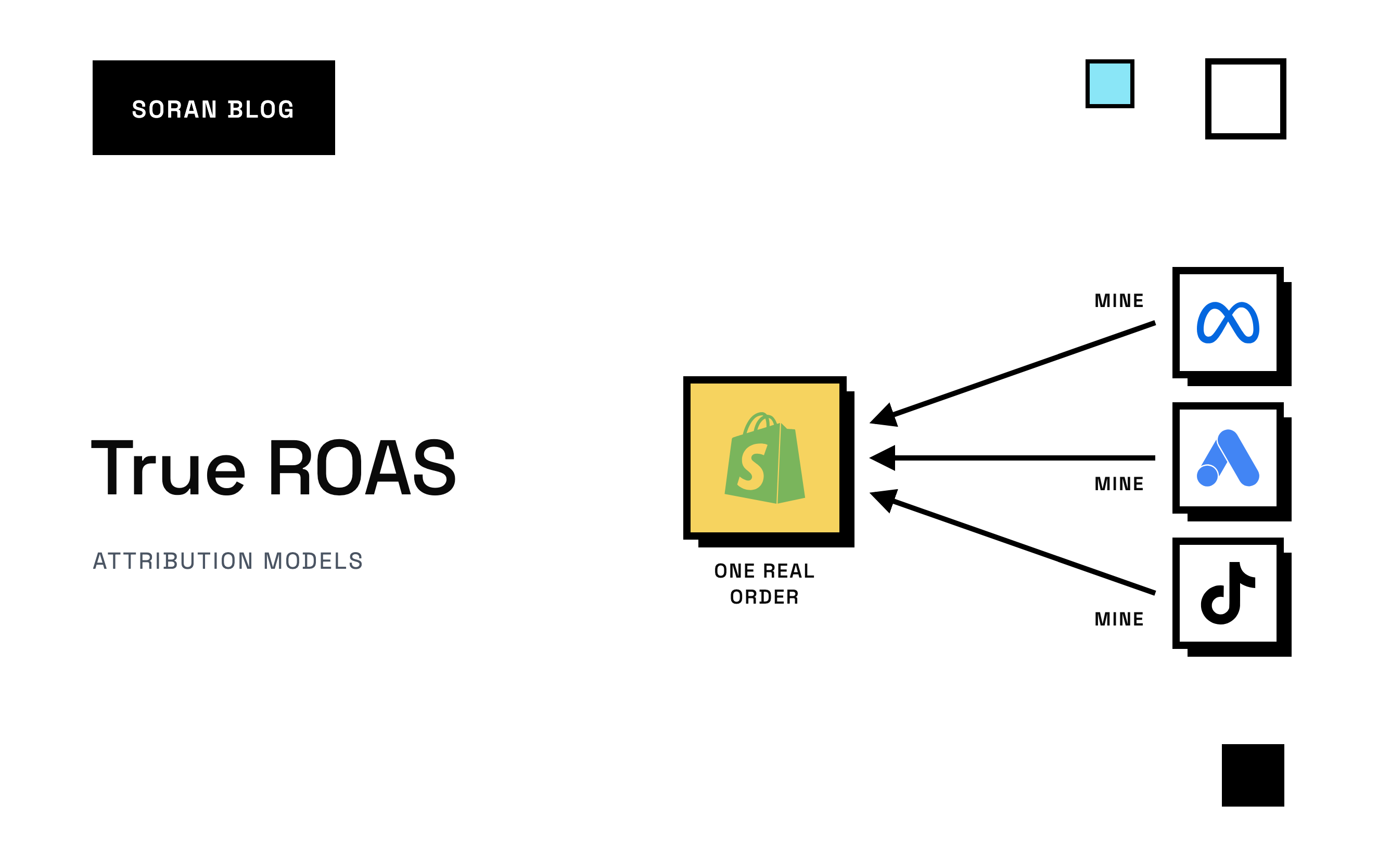
Meta says your ads returned 4.2 last month. TikTok says 2.8. You add up what every platform claims and it comes to more than your store sold. Then you check the bank account, and it looks nothing like a store with a 4x return on its ads.
That gap is why people start searching for true ROAS. They don't want another number from inside an ad manager. They want to know what their ads actually brought in, measured against real orders.
This guide explains what true ROAS means, why the number in Ads Manager isn't it, and how to calculate a version you can trust, step by step, with a worked example.
What is true ROAS?
ROAS (return on ad spend) is revenue divided by ad spend. A ROAS of 3 means every $1 of ads brought in $3 of revenue. If you want a refresher on the basics, start with what is ROAS .
True ROAS isn't an official metric with one fixed definition. It's the name people give to ROAS once the obvious distortions are taken out. In practice, it means four things:
- The revenue comes from real orders in your store, not from what an ad platform estimates or models.
- Each order is counted once, even if three platforms all claim it.
- Refunds and cancellations come off, because money you gave back was never really earned.
- The spend is complete, so every ad account and every cost you count as ad spend is in the bottom of the fraction.
Put simply:
True ROAS = revenue from real, deduplicated orders, net of refunds ÷ total ad spend
The idea is the same as regular ROAS. The difference is which revenue goes on top, and how honest the bottom is.
Why platform ROAS isn't true ROAS
Every platform grades its own homework
Each ad platform counts the sales it believes its ads caused, using its own rules. Those rules overlap.
Here's how it plays out. Maya clicks your Meta ad on Monday and doesn't buy. On Wednesday she sees a TikTok video from you and taps through. On Friday she searches your brand name on Google, clicks the ad at the top, and buys for $90.
- Meta counts the sale , because Maya clicked its ad within its attribution window (how long after an ad interaction a platform will still take credit for a purchase).
- TikTok counts it, because she clicked its ad within its window.
- Google counts it , because she clicked its ad last.
One $90 order shows up as $270 of reported revenue. None of the platforms is lying by its own rules. They just don't know about each other.
Platforms count views, not just clicks
Some platforms also credit sales to people who saw an ad without clicking it . That's called a view-through conversion. Someone who scrolled past your video for a second and bought a few days later can show up as a sale for that ad. Sometimes the ad really did help. Often the person was going to buy anyway. We go deeper on this in what is a view-through conversion .
Platforms miss sales too
Platform numbers aren't only too high. They can also be too low. Ad blockers, browser privacy features and iPhone users who opt out of app tracking stop the platform's pixel (a small piece of code on your site that reports visits and purchases back to the ad platform) from seeing some purchases. So platform ROAS can over-count some orders and miss others in the same month.
Refunds rarely make it back
When a customer returns an order, your store records the refund. The ad platform usually keeps counting the original sale. A product with a high return rate can look like a winner in Ads Manager and quietly lose money.
How to calculate true ROAS, step by step
You can do this in a spreadsheet. It takes a bit of care the first time, then it's routine.
Step 1: Pick a period and stick to it
Use a full week or a full month. Daily true ROAS is noisy, because orders from today's ads can land days later.
Step 2: Start from your store's orders
Export the orders for the period from Shopify or your store platform. This is your source of truth: every order exists once, with its real value.
Decide which revenue figure you'll use and write it down:
- Gross sales: order value before discounts.
- Net sales: after discounts, refunds and returns.
- With or without shipping and tax: most stores leave tax out, since it isn't theirs to keep.
For true ROAS, net sales without tax is the most honest choice. Whatever you pick, use the same definition every time.
Step 3: Take refunds off
Subtract refunds for orders placed in the period. If refunds come in weeks later, either wait before calculating or come back and update last month's number. Don't skip it: refunds are one of the biggest gaps between platform ROAS and reality.
Step 4: Decide which orders the ads get credit for
This is where it gets interesting. You have two options.
Option A: blended (all revenue). Use all of your store's net revenue. This gives you blended ROAS, sometimes called MER (marketing efficiency ratio). It's impossible to double count, but it gives ads credit for every sale, including loyal customers and email buyers who would have bought anyway. See blended ROAS and blended CAC for when this works well.
Option B: attributed. Use only the revenue that tracking connects to an ad, with each order's credit split once across the ads and visits that led to it. That's what an attribution tool does. The rule for splitting credit is called an attribution model: last click gives everything to the final click, linear splits it evenly, and so on. Marketing attribution models compares the options.
Option B is what most people mean by true ROAS per channel. Option A is a good sanity check on top: your attributed revenue across all channels should never add up to more than your store's total.
Step 5: Add up all your ad spend
Pull spend from every ad platform for the same period: Meta, TikTok, Google, Pinterest, whatever you run. Missing one makes the result look better than it is. If you also pay agencies, creators or influencers, decide whether that counts as ad spend and keep the decision consistent.
Step 6: Divide
True ROAS = net, deduplicated, ad-attributed revenue ÷ total ad spend.
If you'd rather not do the arithmetic by hand, our free ROAS calculator does it for you.
A worked example
Here's a made-up month for an imaginary skincare store.
| Source | Revenue | Spend | ROAS |
|---|---|---|---|
| Meta Ads Manager | $96,000 | $24,000 | 4.0 |
| TikTok Ads Manager | $27,000 | $9,000 | 3.0 |
| Platforms combined | $123,000 | $33,000 | 3.7 |
Now the store's own numbers:
- Total orders in Shopify for the month: $110,000 gross.
- Discounts: $6,000. Refunds on orders from the month: $8,000. Net revenue: $96,000.
- After splitting each order's credit once across the visits that led to it, $70,000 of net revenue traces back to Meta and TikTok ads. The rest came from email, organic search and people typing the store's address.
True ROAS: $70,000 ÷ $33,000 = 2.1
The platforms said 3.7. The store's real return on its ads was 2.1. Nothing was wrong with any single report. The gap came from double counting, view-throughs, refunds and returning customers, all stacked on top of each other.
True ROAS still isn't profit
A true ROAS of 2.1 might be great or terrible. It depends on your margins.
If your products cost little to make and ship, a 2.1 return could be very profitable. If your margins are thin, you could be losing money on every ad-driven order. That's why the next number to work out is your break-even ROAS: the ROAS at which ad-driven sales exactly cover the cost of the products, shipping, fees and the ads themselves.
The formula is simple: break-even ROAS = 1 ÷ your contribution margin, where contribution margin is the share of each sale left after product costs, shipping, payment fees and other per-order costs. A store keeping 40% of each sale needs a ROAS of 2.5 just to break even. Our break-even ROAS calculator works it out from your own numbers, and contribution margin explains where the margin comes from.
In the example above, if the skincare store keeps 55% of each sale, its break-even ROAS is about 1.8. A true ROAS of 2.1 clears it, just. If it keeps 40%, its break-even ROAS is 2.5 and those ads are losing money, even though Ads Manager says 3.7.
Common mistakes when working out true ROAS
- Adding up platform revenue. This is the most common one. If the sum of what your platforms claim is higher than your store's revenue, it's not true ROAS.
- Using gross sales. Discounts and refunds are real money you didn't keep.
- Leaving an ad account out of spend. A forgotten Pinterest or Google account makes everything else look better.
- Mixing definitions month to month. If January uses net revenue and February uses gross, the trend means nothing.
- Judging it daily. Use weekly or monthly numbers so delayed orders and refunds have time to land.
- Stopping at ROAS. A strong ROAS on a low-margin product can still lose money. Check it against break-even.
How Soran handles it
Soran builds ROAS from your store's real orders rather than from what each platform reports.
- Each order counted once. Soran follows the visits that led to each order and splits the credit once across them, so channel totals add up to what your store actually took. You can switch attribution models and every number updates.
- Spend matched to the ad. Meta and TikTok spend is pulled in automatically and matched to the exact ad behind each order.
- Honest gaps. If a channel shows revenue but no spend, Soran flags it as a probable unconnected ad account instead of showing a flattering ROAS.
- Refunds and costs come off. Discounts, refunds, product costs, shipping and transaction fees come off in the same order on every report, down to contribution margin, so you can see whether a ROAS is actually profitable.
- Server-side tracking, so ad blockers and browser privacy features don't lose the purchases in the first place.
Google Ads spend isn't imported yet, so if you spend there, keep that in mind when reading channel-level ROAS.
Frequently asked questions
What is true ROAS?
True ROAS is ROAS calculated from your store's real orders, with each order counted once, refunds taken off, and all of your ad spend included. It's the version of ROAS that matches your bank account rather than an ad platform's report.
How is true ROAS different from blended ROAS?
Blended ROAS divides all of your store's revenue by all of your ad spend. True ROAS usually uses only the revenue that tracking connects to ads, split once across channels. Blended ROAS is a good overall check. True ROAS is what you use to compare channels and campaigns.
Why is my true ROAS lower than my platform ROAS?
Because platforms often claim the same sale, count ad views as well as clicks, and don't take off refunds. Once each order is counted once and refunds come off, the number almost always drops.
Can true ROAS be higher than platform ROAS?
Yes, for a channel whose sales the platform's pixel misses, for example because of ad blockers or iPhone privacy settings. Server-side tracking recovers some of those orders, which can lift a channel's ROAS above what its own platform reports.
What is a good true ROAS?
Any true ROAS above your break-even ROAS means your ads are making money after costs. Work out your break-even first, then set a target above it. What is a good ROAS goes through how to set that target.
Want ROAS built from your real orders instead of each platform's claims? Book a demo and we'll walk through your store.