
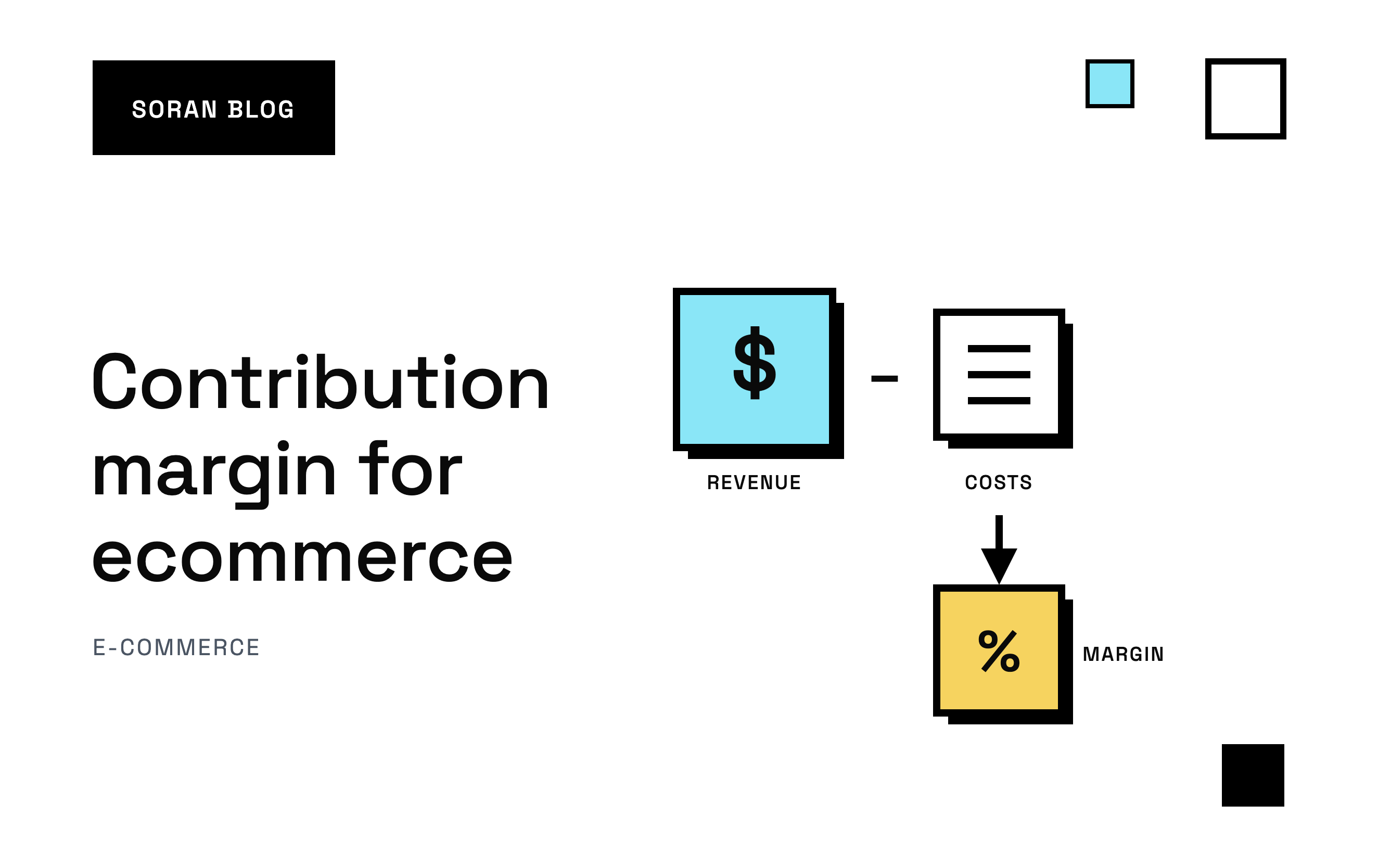
Your Shopify dashboard says you did $50,000 last month. Good month. Then the bank balance barely moved, and you're left wondering where it all went.
It went into product costs, discounts, refunds, shipping labels, payment fees and ads. Revenue tells you how much came in. It doesn't tell you how much each sale actually left you to run the business.
That's what contribution margin tells you. It's the money each order, product or campaign contributes after paying for everything it directly caused. For an online store it's arguably the most useful profit number there is, because it answers the everyday question: "is this thing worth doing more of?"
This guide covers what contribution margin is, the contribution margin formula in its three forms, how to calculate contribution margin per unit properly (including the costs most people forget), a contribution margin calculator you can build in a spreadsheet, and how to use the result to make real decisions.
What is contribution margin?
Contribution margin is your revenue minus your variable costs.
A variable cost is a cost that goes up and down with sales. Sell one more order, and you pay one more product cost, one more shipping label, one more payment fee. Sell nothing, and those costs are zero.
The opposite is a fixed cost: something you pay whether you sell one order or ten thousand. Rent, salaries, your software subscriptions, your accountant.
So the contribution margin definition, in plain words: the money left from your sales after paying the costs those sales created. That leftover money "contributes" toward your fixed costs first. Once fixed costs are covered, everything else is profit.
A quick story
Maya sells candles online. A candle lists at $45, and the wax, jar and wick cost her $12. So each candle makes her $33, right?
Not quite. Somebody has to pack it, ship it, process the payment and deal with the occasional return. Once Maya counts all of that (we'll do the full math below), each candle leaves her about $18, not $33. Her rent, her part-time packer and her Shopify plan cost $8,000 a month no matter what, so the difference matters: at $33 a candle she'd think she needs about 243 sales a month to cover those bills, and at $18 she really needs about 447.
That's the core idea. Every version of contribution margin is the same subtraction. The only hard part is being honest about which costs count as variable.
The contribution margin formula
Here's the core contribution margin equation:
Contribution margin = revenue − variable costs
For a store, use net revenue as the revenue line: what customers actually paid you after discounts, minus what you gave back in refunds. List prices overstate what you earned.
The three forms you'll see
The same formula shows up in three shapes, depending on what you want to compare. This is why every website seems to show a slightly different version.
| Form | Formula | Use it to |
|---|---|---|
| Total | Total revenue − total variable costs | See what a month, product line or campaign contributed overall |
| Per unit | Price per unit − variable cost per unit | Price a product, or compare products against each other |
| Ratio | Contribution margin ÷ revenue | Compare things of different sizes, as a percentage |
None of these is more correct than the others. They answer different questions, and you'll usually want all three.
How to calculate contribution margin per unit
Contribution margin per unit (also called unit contribution margin) is what one unit of a product leaves you after all the costs that come with selling it.
Contribution margin per unit = selling price per unit − variable cost per unit
You can also work backwards from totals:
Contribution margin per unit = (total revenue − total variable costs) ÷ units sold
The formula is easy. Getting the variable cost per unit right is where most people go wrong.
What goes into variable cost per unit for an online store
Most people remember the first item on this list and forget the rest.
- Cost of goods: what you paid your supplier or manufacturer per unit, often plus inbound freight. This is usually called COGS (cost of goods sold).
- Outbound shipping: what the carrier charges you to deliver it, even if the customer sees "free shipping."
- Packaging: box, tissue, inserts, tape.
- Fulfillment: pick-and-pack fees if a warehouse ships for you.
- Payment fees: your payment processor's cut, usually a percentage of the order plus a small fixed fee per order.
- Returns allowance: the average cost of refunds and stock you can't resell, spread across all units sold.
- Average discount: if most units sell with a code, the real selling price is lower than the list price.
A full worked example: Maya's candle
Let's do Maya's math properly. The numbers are illustrative.
The price. The list price is $45, but between welcome codes and occasional promotions, the average candle sells for $3 less. So the real net price per unit is $42.
The per-unit costs:
- Cost of goods: $12.00
- Packaging: $1.50
The per-order costs. Some costs come once per order, no matter how many units are in it. Say customers buy an average of 1.4 candles per order:
- Shipping: $7.00 per order, so $7.00 ÷ 1.4 = $5.00 per unit
- Pick-and-pack: $2.80 per order, so $2.80 ÷ 1.4 = $2.00 per unit
Payment fees. Say her processor charges 3% of the sale plus 30 cents per order (an illustrative rate, check your own):
- 3% of $42 = $1.26
- $0.30 ÷ 1.4 = $0.21
- Total: $1.47 per unit
Returns allowance. If about 5% of units come back and can't be resold, that's 5% of $42 = $2.10 per unit on average.
| Cost | Per unit |
|---|---|
| Cost of goods | $12.00 |
| Packaging | $1.50 |
| Shipping | $5.00 |
| Pick-and-pack | $2.00 |
| Payment fees | $1.47 |
| Returns | $2.10 |
| Total | $24.07 |
Contribution margin per unit = $42.00 − $24.07 = $17.93
The napkin math ($45 minus $12) said $33. The real figure is just over half of that. Every decision Maya makes with the $33 number, from ad budgets to discounts, will be too optimistic.
Per unit vs per order: the trap
Look at what happened with shipping. If Maya only ever sells one candle per order, shipping is $7 per unit, not $5. If customers start buying three at a time, it drops to about $2.33.
That means your contribution margin per unit depends on your average units per order. Bundles, "buy 2 get free shipping" thresholds and multi-packs all change it, sometimes a lot. When your basket size changes, recalculate.
For many stores it's just as useful to look at contribution per order. Here, 1.4 units × $17.93 = $25.10 per order. That's the number to compare against what you pay to win an order, as we'll see below.
When one order holds several different products, assign per-unit costs (product, packaging) to each product directly, and split per-order costs (shipping, fulfillment, the fixed part of the payment fee) across the units, either evenly or by price or weight. Pick one method and stick with it.
The contribution margin ratio
The contribution margin ratio turns contribution margin into a percentage of revenue.
Contribution margin ratio = contribution margin ÷ revenue
Maya's candle: $17.93 ÷ $42 = 42.7%. That means about 43 cents of every sales dollar is left to cover fixed costs and profit. The rest goes to the costs of making and delivering the sale.
The ratio is what lets you compare products with very different prices. A $25 accessory with a 50% ratio leaves $12.50 per unit. An $80 bundle with a 35% ratio leaves $28. The accessory is more efficient, but the bundle leaves more money per sale. If it costs you roughly the same in ads to sell either one, the bundle is the better thing to promote, even though its percentage looks worse.
So look at both. The ratio tells you how efficient a product is. The dollars tell you how much room you have to pay for customers.
The ratio also gives you a shortcut: multiply any revenue figure by it to get contribution. $10,000 of candle sales at 42.7% contributes about $4,270.
Total contribution margin for a month
For decisions about budgets, you want the whole month. Here's a store with 625 orders, using the $50,000 from the start of this post. The numbers are illustrative.
| Line | Amount |
|---|---|
| Gross sales | $50,000 |
| Discounts | −$4,000 |
| Refunds | −$2,000 |
| Net revenue | $44,000 |
| Cost of goods | −$15,400 |
| Shipping and packaging | −$4,400 |
| Payment fees (2.9% of $44,000 + $0.30 × 625 orders) | −$1,463.50 |
| Contribution margin | $22,736.50 |
| Contribution margin ratio | 51.7% |
The ratio is calculated on net revenue ($44,000), not gross sales ($50,000). Divide by gross and you'd get 45.5% and think your margins are worse than they are. Net revenue is the standard, because it's money you actually kept.
When you sell many products, the store's overall ratio is a weighted mix of each product's. Add up the contribution margin dollars and divide by total revenue. Don't average the percentages, or a small product with a great ratio will count as much as your bestseller.
The three layers: CM1, CM2 and CM3
Many ecommerce brands break contribution margin into layers, often labeled CM1, CM2 and CM3. The names aren't an official standard, and different teams draw the lines slightly differently, but the idea is consistent: peel off one group of variable costs at a time.
Here's one order, step by step. The numbers are illustrative.
| Line | Amount |
|---|---|
| Gross revenue (what the order was listed at) | $120.00 |
| Discounts | −$12.00 |
| Refunds and returns (averaged per order) | −$6.00 |
| Net revenue | $102.00 |
| Cost of goods sold | −$34.00 |
| CM1 (after product cost) | $68.00 |
| Shipping and packaging | −$9.00 |
| Payment and transaction fees | −$3.20 |
| CM2 (after fulfillment and fees) | $55.80 |
| Ad spend attributed to this order | −$30.00 |
| CM3 (after marketing) | $25.80 |
CM1: after product cost
Net revenue minus COGS. It's close to gross margin, and it tells you whether your pricing works at all.
CM2: after getting the order to the customer
Subtract shipping, packaging and payment fees. These are easy to forget because they feel like "overhead," but they happen on every single order. CM2 is your contribution margin before marketing: what an order is worth before you paid to get it.
CM3: after marketing
Subtract the ad spend that brought the order in. CM3 is your contribution margin after marketing: what the order actually left you. If CM3 is negative, you paid more to win that sale than it gave back, at least on the first purchase.
Why ad spend gets its own layer
For most online stores, advertising is one of the biggest variable costs: spend more, sell more orders. But it isn't caused by any single order the way a shipping label is, so it's worth keeping separate. CM2 tells you how much you can afford to spend on ads. CM3 tells you whether you did.
At the store level, CM3 is simple subtraction: total contribution before marketing minus total ad spend. If the store above spent $12,000 on ads, it's left with $10,736.50 to cover fixed costs and profit. That's a solid weekly health check.
Per campaign, it gets harder, because you have to decide which ad deserves credit for each order. A customer might see a TikTok video, click a Meta ad a week later and buy after searching your name on Google. Which ad's cost goes against that order?
The answer depends on your attribution model, the rule for splitting credit for a sale across the ads and visits that led to it. Different models give different CM3 numbers per campaign, even though the store's total doesn't change. Our guide to multi-touch attribution explains the options, and the pros and cons of last-click attribution covers why the default model tends to undersell ads that start the journey.
Build a contribution margin calculator in a spreadsheet
Most contribution margin calculators online ask for "price" and "variable cost" and stop there. That's fine for a textbook and not much help for a store, because working out the variable cost is the whole job. Here's one built for ecommerce.
Collect the inputs
Use the same date range for all of them. Mixing a month of revenue with six weeks of supplier invoices gives you a number that means nothing.
| Input | Where to find it |
|---|---|
| Gross sales | Your store's sales report, before discounts and refunds |
| Discounts | Same report |
| Refunds | Same report, or your average refund rate |
| Number of orders | Same report |
| Cost of goods sold | Product costs you entered in Shopify, or your supplier invoices |
| Shipping and packaging cost | Your shipping app or carrier invoices |
| Transaction fees | Your payment provider's payout reports |
If you only have rates, not totals, work per order with averages: an average refund rate, an average shipping cost per order, and your payment provider's fee per transaction.
The per-order version
Say a customer buys a $70 hoodie with a 10% discount code. Open a blank sheet, type labels in column A and values in column B:
| Cell | Label | Value or formula |
|---|---|---|
| B1 | Price | 70 |
| B2 | Discount % | 10% |
| B3 | Refund rate | 5% |
| B4 | Cost of goods | 22 |
| B5 | Shipping and packaging | 7 |
| B6 | Fee % | 2.9% |
| B7 | Fee per order | 0.30 |
| B8 | Paid by customer |
|
| B9 | Refund allowance |
|
| B10 | Payment fee |
|
| B11 | Contribution margin |
|
| B12 | Contribution margin ratio |
|
| B13 | Break-even ROAS |
|
| B14 | Max cost per acquisition |
|
With these inputs, the customer pays $63.00, the refund allowance is $3.15, the payment fee is $2.13, and the contribution margin is $28.72, a 45.6% ratio. (The fee rate is just an example. Check your own provider's, because it varies by plan, country and card type.)
The refund allowance spreads refunds across every order: if 5% of revenue gets refunded, each order carries 5% of its value as an expected cost. That's more honest than pretending refunds don't exist until they show up. In this per-order version refunds are a cost; in the monthly table above they come off revenue. Either works, as long as you pick one and stick with it.
Change any input and everything below it updates. Try raising the discount to 20%: the customer pays $56, and contribution drops to about $22.28, a ratio around 39.8%.
The monthly version
Swap the per-order inputs for totals: gross sales, discounts, refunds, COGS, shipping, fees and order count. The formulas have the same shape: net revenue minus each cost, then divide by net revenue. The monthly table earlier in this post is exactly that calculation.
The per-product version
Store-wide margins hide the products that are quietly losing money. Run the same calculator per product:
| Product | Price paid | COGS | Shipping | Fees | Refund allowance | Contribution margin | Ratio |
|---|---|---|---|---|---|---|---|
| Hoodie | $63.00 | $22.00 | $7.00 | $2.13 | $3.15 | $28.72 | 45.6% |
| T-shirt | $25.00 | $9.00 | $6.00 | $1.03 | $1.25 | $7.72 | 30.9% |
| Jacket | $140.00 | $56.00 | $10.00 | $4.36 | $14.00 | $55.64 | 39.7% |
(Fees use the same 2.9% + $0.30 example. The jacket has a 10% refund rate, the others 5%.)
A few things jump out:
- Shipping eats cheap products. $6 of shipping is a quarter of the T-shirt's price and a rounding error on the jacket.
- Refunds hit expensive products harder. A higher refund rate on a high-priced item costs real dollars per order.
- The T-shirt needs a much higher ROAS to break even than the hoodie, which is the next section.
The numbers that fall out of contribution margin
Once you have contribution margin, a handful of very practical numbers come for free.
Break-even units
Break-even units = fixed costs ÷ contribution margin per unit
Maya's fixed costs are $8,000 a month and each candle contributes $17.93, so she needs to sell about 447 candles a month to break even. Candle number 448 is where profit starts. With several products, use an average contribution weighted by how much of each you sell, which is why break-even moves when your sales mix moves.
Break-even revenue
Break-even revenue = fixed costs ÷ contribution margin ratio
For Maya: $8,000 ÷ 0.427 = about $18,700 in net revenue a month. Same answer as the units version, just in dollars.
Maximum cost per order from ads
CPA (cost per acquisition) is what you spend on ads, on average, to win one order. Your ceiling is the contribution of an average order before marketing. Maya's orders leave $25.10, so $25.10 is her break-even CPA. Pay more than that for a one-time buyer and the order loses money.
You can also see what's left after ads. If Maya's ads currently cost $20 per order, that's $20 ÷ 1.4 = $14.29 per candle, leaving $17.93 − $14.29 = $3.64 per unit after ads. Thin, but positive. Push her CPA to $26 and every first order loses money.
Break-even ROAS
ROAS (return on ad spend) is the revenue your ads brought in divided by what they cost. Your break-even ROAS is the ROAS where an order's contribution exactly pays for the ad that won it:
Break-even ROAS = 1 ÷ contribution margin ratio before marketing
- The hoodie (45.6%) breaks even at a ROAS of 1 ÷ 0.456 = 2.19.
- The T-shirt (30.9%) needs 3.24.
- The whole monthly store (51.7%) needs 1.94.
Below that ROAS, every order you buy through ads loses money on the order itself. This is why one ROAS target across products with different margins doesn't work: run the hoodie and the T-shirt in one campaign with one target, and the T-shirt can drag the account under water without anyone noticing.
How to use contribution margin to make decisions
Knowing your contribution margin is only useful if it changes what you do. Here's where it earns its keep.
Decide which products to push
Two products can sell the same amount and contribute very different money. Say Product A sells 500 units with a $15 contribution each ($7,500), and Product B sells 300 units with a $35 contribution each ($10,500). On revenue reports, A looks like the star. On contribution, B is carrying more weight.
That changes where you put ad budget, which products get the homepage, and which ones you bundle.
Decide which campaigns to scale
ROAS on its own can't tell you whether a campaign makes money, because it ignores margin. A campaign at ROAS 3 selling a low-margin product can lose money while a campaign at ROAS 2 selling a high-margin product makes money.
Contribution after ad spend, campaign by campaign, settles it. A related metric, POAS (profit on ad spend), divides that pre-ad profit by ad spend so you can compare campaigns of different sizes.
Test a discount before you run it
This is where per-unit thinking pays for itself. Say Maya runs 20% off sitewide: $9 off the $45 list price, replacing her usual average discount. Her net price drops from $42 to $36.
Product cost, packaging, shipping and pick-and-pack don't change. Payment fees and the returns allowance shrink a little because they're based on price:
- Payment fees: 3% of $36 + $0.21 = $1.29
- Returns: 5% of $36 = $1.80
- New total variable cost: $23.59
- New contribution per unit: $36.00 − $23.59 = $12.41
The price dropped about 14%. Contribution per unit dropped from $17.93 to $12.41, about 31%. That's because a discount comes entirely out of margin while your costs stay put.
To earn the same total contribution as before, she'd need to sell $17.93 ÷ $12.41 = 1.44 times as many units, or about 44% more. Ask yourself honestly whether a sale will do that. If it won't, it's costing you money, however busy the warehouse looks.
Set a free-shipping threshold you can afford
Free shipping is a discount in disguise. The label still costs you money, it just comes out of contribution quietly. Knowing your contribution per order lets you set a free-shipping threshold, or a discount size, that you can actually afford instead of copying a competitor. Because shipping is a per-order cost, a threshold that nudges people to add a second item can raise contribution per unit at the same time.
Know when growth won't fix it
If your break-even units are far above what you sell, no amount of revenue growth on the same margins will fix it. You need to raise prices, cut variable costs or cut fixed costs. And if contribution per unit is negative, growth makes it worse: every extra sale digs the hole deeper.
Judge first orders and repeat orders separately
A new customer's first order often has a low or negative CM3 because you paid to acquire them. Their second and third orders may have almost no ad cost at all. If customers reliably come back, you can afford to pay more than your break-even CPA for the first order, as long as you base it on the contribution of those repeat orders and not their revenue. Our guide to customer lifetime value shows how to put a number on that. Just be honest about how many actually come back.
Common contribution margin mistakes
Treating shipping and fees as fixed costs
They're not. They grow with every order. Leaving them out makes every product look more profitable than it is, and it hits low-priced products hardest, because a $7 shipping label is a much bigger share of a $25 order than a $150 one. Free shipping counts too.
Forgetting the per-order costs
Shipping, fulfillment and the fixed part of payment fees come per order, not per unit. Leave them out of your unit math and you'll overstate contribution, and on cheap items the gap can be bigger than the product cost itself.
Putting fixed costs in
It's tempting to add "a share of the Shopify bill" or "a share of salaries" to each unit. Don't. Fixed costs per unit change whenever volume changes, so the number becomes meaningless. Keep them for the break-even step.
Using list price instead of what customers paid
Discounts, promo codes and refunds all reduce revenue, and discounts are often the single biggest swing in margin. Calculate from net revenue, or your ratio will be higher than reality.
Ignoring refunds until they happen
A month with few refunds looks great, then the next month eats it. Returns often cost you return shipping and unsellable stock on top. Use a refund rate so every order carries its share.
Mixing up gross margin and contribution margin
Gross margin only subtracts product cost, so it's a pricing check. Contribution margin subtracts every variable cost, which is what you need to decide whether to sell more of something. A product with a great gross margin can still lose money once you ship and advertise it. If someone quotes you a margin, ask which one.
Using the ad platforms' revenue for CM3
Each ad platform reports the sales it thinks it caused, and they overlap. If Meta and TikTok both claim the same order, subtracting each platform's spend from each platform's claimed revenue can give you more revenue than your store actually took. Start from your real orders, and split each one's credit once.
Missing orders in tracking
If your tracking misses purchases, those orders never get matched to the ads that drove them, and CM3 per campaign comes out lower than reality. Browser-only tracking loses orders to ad blockers and browser privacy settings. Server-side tracking for Shopify explains how to close that gap.
Calculating once, or rewriting history
Carriers raise rates, suppliers change prices, basket sizes shift. Recalculate when any input moves. But when a cost changes, update it going forward and keep the old cost for orders already sold. Otherwise last quarter's contribution margin silently changes every time you edit a product's cost.
A practical checklist
- Enter a cost for every product, ideally per variant, since sizes and colors often cost different amounts.
- Add shipping, fulfillment and fee costs. Exact per order is best; a reasonable per-order estimate beats leaving them out.
- Start from net revenue, after discounts and refunds, for one consistent date range.
- Work out contribution per unit and per order, dividing per-order costs by your average units per order.
- Calculate the ratio, break-even ROAS and break-even CPA.
- Calculate CM1, CM2 and CM3 for the store as a whole, every week.
- Break contribution down by product and by campaign, using one attribution model you keep consistent.
- Compare first-purchase and repeat contribution before deciding a campaign is unprofitable.
- Test discounts before you run them, and keep cost history so past reports don't change when costs do.
How Soran handles it
Working this out in a spreadsheet for one product is fine. Keeping it right for a whole catalog and every campaign, every month, is where it falls apart. Soran builds contribution margin from your store's real orders instead.
- Revenue steps down to contribution margin: gross revenue, then discounts and refunds, cost of goods, shipping and transaction fees. Where you don't have exact shipping or fee costs for every order, you can set one fallback rule for each. Past cost entries are kept, so a supplier price change doesn't rewrite last quarter.
- Product analytics show revenue, orders and margin per product, grouped by product, variant or SKU, so you can spot a T-shirt problem without a spreadsheet.
- Profit per campaign comes from splitting each order's credit once across the visits that led to it, with spend matched to the exact ad. Totals add up to what your store actually took, so you can hold each campaign up against your break-even ROAS without double counting, and switching attribution models updates every number.
- Repeat revenue is shown apart from first purchases, because customer profiles join orders and visits from different devices into one person.
Shopify is the only store platform Soran connects to today, and ad spend comes in from Meta and TikTok.
Frequently asked questions
What is contribution margin in simple terms?
It's what's left from your sales after paying the costs those sales caused, like product cost, shipping and payment fees. That leftover money pays for your fixed costs first, and anything beyond them is profit.
What is the formula for contribution margin?
Contribution margin = revenue − variable costs. Per unit, it's the selling price minus the variable cost of one unit. As a ratio, it's contribution margin divided by revenue, usually shown as a percentage.
How do you calculate contribution margin per unit?
Take the price you actually receive for one unit, after your typical discount, and subtract every cost that comes with selling it: product cost, packaging, its share of shipping and fulfillment, payment fees and expected returns. A $42 sale with $24.07 of variable costs has a $17.93 contribution margin per unit.
Is contribution margin the same as gross profit?
No. Gross profit only subtracts the cost of the product. Contribution margin also subtracts every other cost that grows with sales, like shipping, payment fees, refunds and often advertising. For an online store, the gap between the two can be large.
Should ad spend be included in contribution margin?
It depends on the question. Leave it out (CM2) to see what an order is worth before marketing and to work out your break-even ROAS. Include it (CM3) to see what the order actually left you. Most ecommerce teams track both, as long as everyone knows which one they're looking at.
What is a good contribution margin for ecommerce?
There's no single right number, because it depends on your prices, product category and fixed costs. The real test is simple: your total contribution margin after ad spend has to cover your fixed costs with room to spare. If it doesn't, growing revenue on the same margins only grows the problem.
Can contribution margin be negative?
Yes. A negative contribution margin means a sale costs more in variable costs than it brings in. That happens with deep discounts, free shipping on cheap or heavy items, high return rates or expensive ads. Some brands accept it on first orders if repeat purchases make up the difference, but that should be a decision backed by data, not a surprise.
Can I use one calculator if I sell on more than one platform?
Yes, but calculate each sales channel separately first. Fees, shipping and refund rates are often different between your own store and a marketplace, and a blended number can hide a channel that loses money.
Want to see contribution margin per product and per campaign, built from your real orders? Book a demo and we'll show you how it works on your store.