
Your store took 120 orders yesterday. Your analytics says 95. Meta says 88. Nobody is lying, exactly. Each tool only counts what it managed to see, and the place most of them look, the shopper's web browser, has become a lousy place to watch from. That's the gap server-side tracking fills.
It's the fix most stores end up reaching for. The name sounds technical, but the idea is simple: instead of asking the shopper's browser to report what happened, you report it yourself, from a computer you control.
This guide explains what server-side tracking is, how it differs from the older browser approach, what "server-side tagging" means, what it actually fixes, what it doesn't, and how to decide which setup fits your store.
What is server-side tracking?
Server-side tracking means recording events, like a page view, an add to cart or a purchase, on a server rather than in the visitor's browser. A server is just a computer that runs behind the scenes, away from the shopper's device. Your store platform runs on servers. So do analytics tools and ad platforms.
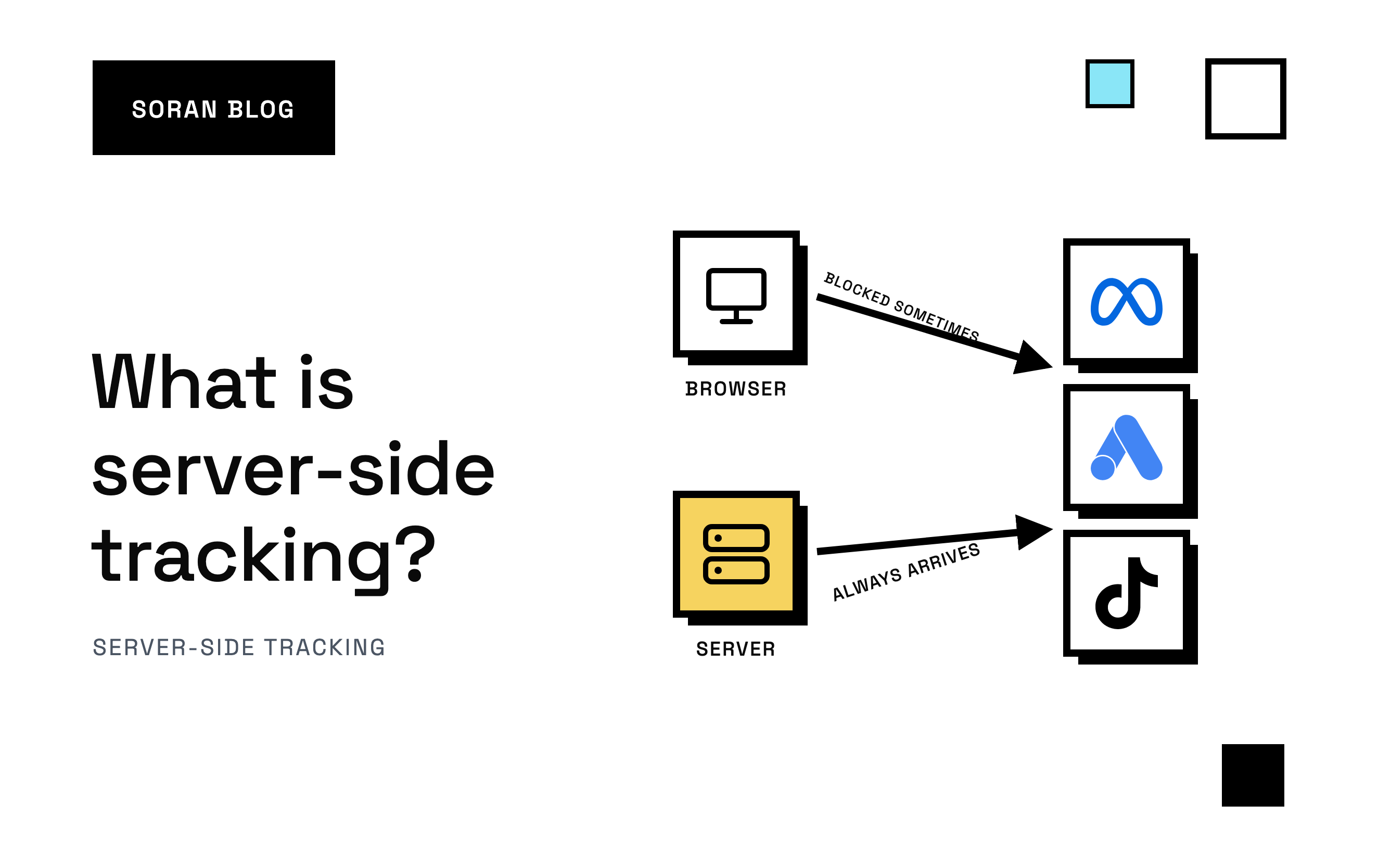
The older way is client-side tracking. "Client" here means the shopper's device and browser. A small script, often called a pixel or a tag, loads on your web page, watches what the shopper does, and sends a message straight from their browser to Google, Meta or TikTok.
So the difference comes down to who sends the message:
- Client-side: the shopper's browser sends it.
- Server-side: your server (or one you rent) sends it.
That one change has a lot of consequences, good and bad.
Why browser tracking stopped being enough
For years, client-side tracking worked fine. Then browsers changed, and a growing share of events started vanishing before they ever left the shopper's device.
- Ad blockers recognize common tracking scripts and stop them from loading. If the Meta pixel never loads, Meta never hears about the visit.
- Browser privacy features limit how long cookies last. A cookie is a small note a site leaves in your browser so it can recognize you later. Safari, for example, cuts short the life of cookies set by scripts. When the cookie is gone, a returning shopper looks like a stranger, and the ad they clicked last week loses the credit.
- Shoppers close tabs early. If someone pays and closes the window before the thank-you page finishes loading, the purchase script on that page never runs.
- Slow pages and flaky phones. Scripts that fail to load on a weak mobile connection simply don't report.
Each of these drops a few events. Together they can mean your ad platforms are working from a noticeably incomplete picture of who bought.
How server-side tracking works, step by step
Here's what happens to a single purchase in a typical setup.
- Sarah places an order. Your store records it, the way it always does.
- Your store tells your server. Most platforms, Shopify included, can send an instant notification when an order is created . This notification is called a webhook: a message one system sends to another the moment something happens. It doesn't depend on Sarah's browser at all.
- Your server adds context. It attaches the details that help ad platforms recognize Sarah, like her hashed email (scrambled so it can't be read back), and the clues captured while she was browsing: her click ID, her browser ID, her IP address and device.
- Your server sends the event onward. It forwards the purchase to your analytics and to each ad platform's server-to-server interface, such as Meta's Conversions API .
Because steps 2 to 4 happen between servers, nothing on Sarah's phone can block them. An ad blocker can't stop a message it never sees.
A quick example
Imagine 100 real orders in a day. Made-up numbers, purely to show the shape:
- The browser pixel reports 82 of them. The other 18 were lost to ad blockers, cookie limits and closed tabs.
- Your server reports all 100, because every order triggers a webhook.
- With both running and duplicates removed, the ad platform sees 100 purchases, and for most of them it also has the rich browser clues from the pixel.
That last point is why most platforms recommend running both together. More on that below.
Server-side tracking vs server-side tagging
You'll see both terms, often used as if they mean the same thing. They're closely related, but there's a useful difference.
Server-side tagging usually refers to a specific setup : you keep your tags (the little tracking scripts), but instead of each tag sending data straight from the browser to its vendor, the browser sends one stream of data to a server you control. That server then runs "server tags" that forward the data to Google Analytics, Meta and the rest. The best-known example is server-side Google Tag Manager, which runs on a cloud server you pay for.
Server-side tracking is the broader idea: any setup where events are recorded or sent from a server. That includes server-side tagging, but also:
- Your store sending order webhooks to a tracking platform.
- A tool that reads orders straight from Shopify and forwards them to ad platforms.
- A custom script your developer wrote.
One important nuance: in a classic server-side tagging setup, the browser still has to send the data to your server first. If a shopper blocks that first hop, the event can still be lost. Setups that also record purchases from the store itself, through webhooks, don't have that weak point for orders.
| Setup | Who sends the event | Survives ad blockers | Who maintains it |
|---|---|---|---|
| Browser pixel only | Shopper's browser | No | Ad platform's script |
| Server-side tagging (e.g. GTM) | Browser to your server, then server | Partly, depends on first hop | You or your developer |
| Store webhooks to a server | Your store, then server | Yes, for orders | You or a vendor |
What server-side tracking fixes
When it's set up well, server-side tracking gives you:
- More complete purchase data. Orders reported from the store don't depend on the thank-you page loading.
- Better ad optimization. Platforms like Meta use the purchases they see to decide who to show ads to. More of your real buyers reaching them means better targeting signals.
- Longer-lived identifiers. Cookies set by your own server, on your own domain, are generally treated more favorably by browsers than ones set by third-party scripts.
- Control over what you send. Because the data passes through your server first, you decide which fields go to which platform. You can strip out anything you don't want shared.
- Faster pages. Fewer third-party scripts running in the browser can mean less for the page to load.
What server-side tracking doesn't fix
It's not magic, and anyone who tells you otherwise is overselling.
- It doesn't override consent. If a shopper declines tracking, that choice should apply on the server too. Server-side is a more reliable messenger, not a way around privacy rules.
- It doesn't automatically identify people. A server doesn't know who the shopper is unless you pass along the clues. Send an event without the shopper's real IP address, device and identifiers, and the ad platform gets a purchase it can't match to anyone.
- It can double count. If the pixel and the server both report a purchase, the platform needs a shared event ID (a reference number attached to both copies) to know they're one sale. Get that wrong and every order counts twice.
- It doesn't settle attribution. Each ad platform still decides on its own which ad gets credit, and they'll still collectively claim more sales than you made. Server-side tracking feeds them better data. It doesn't stop them from each counting the same order.
Common mistakes
These come up again and again.
Sending your server's IP address instead of the shopper's
When your server sends an event, the IP address the platform sees by default is your server's, sitting in a data center. If you don't pass the shopper's real IP and device along, every purchase looks like it came from one computer. Matching gets much worse, not better.
Mismatched event IDs
The browser uses one ID, the server uses another, and the platform keeps both. Your return on ad spend (revenue from ads divided by ad spend) suddenly looks fantastic. For purchases, the store's order ID is a reliable shared ID: both sides know it and it never changes.
Turning off the pixel entirely
Some stores switch to server-only and lose the browser's clues: cookies, on-site behavior, click IDs. The recommended setup for Meta is pixel plus server, with duplicates removed . Setting up the Meta Conversions API on Shopify walks through it.
Set and forget
Server setups break quietly. A checkout change, an expired credential or a renamed field can stop events without any error you'd notice. Check your event counts against your real orders every week or two.
How to choose a setup
Ask yourself three questions.
- Do you have a developer who'll own it? Server-side tagging gives you full control, but someone has to build it, host it and fix it.
- How many ad platforms do you run? One platform with a built-in store connection might be enough. Several platforms usually means you want one setup feeding all of them.
- Do you want your own view of the data? If you want to see the full customer journey yourself, not just each platform's version, you need a tool that keeps a copy and does its own attribution.
For Shopify specifically, server-side tracking for Shopify covers the options, and top server-side tracking tools compares the main products.
How Soran handles it
Soran records purchases on the server, so ad blockers, tracking prevention and closed tabs don't lose them. On Shopify, it creates the single site tracker for you, and setup shows how many events arrived in the last 24 hours so you can see it's working.
Those conversions then go back to the ad platforms you connect, Meta and TikTok among them, with duplicate removal so each sale counts once, and you can view and edit the fields that are sent. Because every event also lands in your own reports, you get attribution that splits each order once across the visits that led to it, plus an event log for checking whether something was ever tracked.
Frequently asked questions
Is server-side tracking better than client-side?
For reliability, yes, especially for purchases. But the browser still sees things the server can't, like on-site behavior and cookies. The strongest setup uses both and removes duplicates.
Does server-side tracking get around ad blockers?
For events your server records from the store itself, like orders sent by webhook, yes: there's nothing in the browser to block. For setups that rely on the browser sending data to your server first, it depends on whether that first request gets through.
Is server-side tracking GDPR compliant?
It can be, but it isn't automatically. You still need consent where the law requires it and a clear privacy policy. The advantage is control: because data passes through your server, you can decide exactly what each platform receives.
What's the difference between server-side tagging and server-side tracking?
Server-side tagging is a specific setup where your browser tags send data to your own tagging server, which forwards it to vendors. Server-side tracking is the broader category of anything recorded or sent from a server, including order webhooks.
Do I need a developer?
For a custom server-side tagging setup, usually yes. For a built-in store connection or a tracking platform, usually no.
Want server-side tracking working on your store without running the servers yourself? Book a demo and we'll walk through it.