
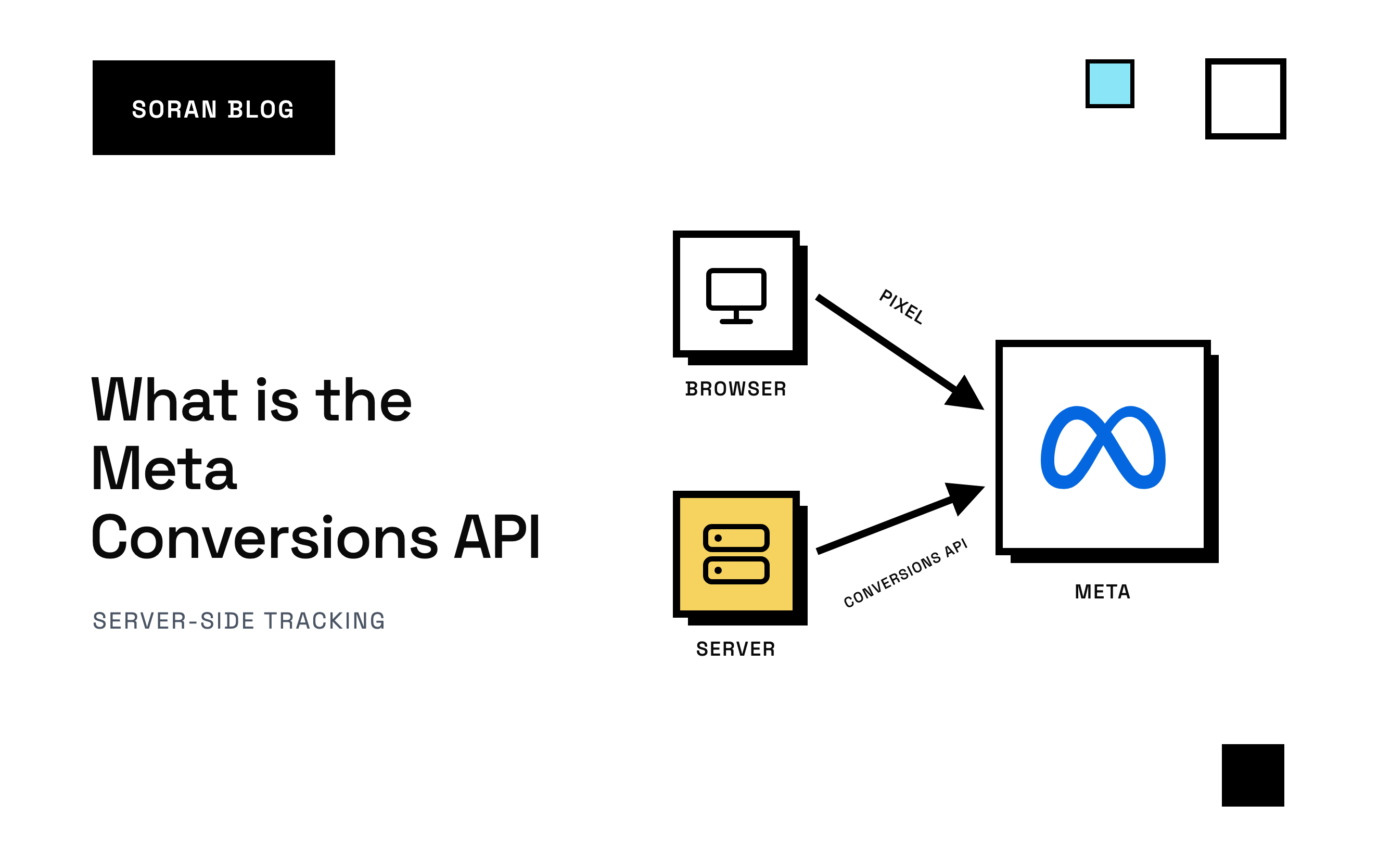
You run ads on Facebook and Instagram. Your store says you made 120 sales last week. Meta Ads Manager says your ads drove 80 purchases, and you have no idea whether the other 40 came from ads Meta never saw or from somewhere else entirely. The Meta Conversions API is built to close the first part of that gap.
The Meta Conversions API is usually shortened to CAPI (and still often called the Facebook Conversions API), it's Meta's way of letting you report sales , sign-ups and other actions straight from a server, instead of relying only on the shopper's browser.
This guide explains what CAPI is in plain words, how it works alongside the Meta pixel, the ways to set it up, and the few details that decide whether it actually improves your ads. If you're on Shopify and want the step-by-step version, see how to set up the Meta Conversions API on Shopify .
What is the Meta Conversions API, in one paragraph
A conversion is any action you want from a customer: a purchase, a lead form, a sign-up. Meta needs to hear about your conversions for two reasons: to report which ads worked, and to learn what kind of person converts so it can find more of them. The Conversions API is a direct line from your server (a computer that runs your business systems behind the scenes) to Meta, used to send those conversions. "API" just means a defined way for two systems to talk to each other.
That's it. The interesting part is why it matters and how to do it well.
Why the Meta pixel isn't enough anymore
For years, conversions reached Meta through the Meta pixel: a small piece of code on your website that runs in the shopper's browser. When someone buys, the pixel sends Meta a message saying "a purchase just happened."
The browser has become an unreliable messenger:
- Ad blockers stop the pixel from loading.
- Browser privacy features, like those in Safari and Firefox, limit or block tracking cookies. A cookie is a small note a website leaves in your browser to recognize you later. When it's gone, Meta struggles to connect a purchase to the ad that started it.
- Apple's App Tracking Transparency lets iPhone users tell apps like Facebook and Instagram not to track them. For people who say no, Meta is limited in how it can use what they do on other companies' websites, including yours.
- Shoppers leave early. Close the tab before the thank-you page loads, and the pixel never fires.
Every lost event is a sale Meta can't learn from. Its algorithm ends up optimizing on a smaller, skewed slice of your real customers, and your reported results look worse than they are.
How the Conversions API works
Instead of the browser telling Meta "a purchase happened," your server does. Here's the flow for a typical online order:
- Sarah clicks your Instagram ad and lands on your site.
- She buys a jacket. Your store's backend records the order.
- Your server (or a tool you use) sends Meta a message: event name
Purchase, the time, the order value and currency, plus clues about who Sarah is. - Meta matches those clues to a Meta account and credits the sale to the ad she clicked.
Because the message comes from your server, ad blockers and browser settings can't stop it.
What a CAPI event contains
You don't need to write the code to understand what's in each message. Every event carries a handful of parts:
| Part | What it is in plain words | Example |
|---|---|---|
| Event name | What happened |
|
| Event time | When it happened | The moment the order was placed |
| Action source | Where it happened |
|
| Customer details | Clues that help Meta recognize the person ( | Hashed email, IP address, browser ID |
| Custom data | Details about the conversion itself ( | Order value, currency, products |
| Event ID | A reference number used to spot duplicates ( | The order number |
Meta also lets you send events a little after they happen, as long as the event time reflects when they really occurred. For website events, the event time can be up to seven days in the past .
CAPI and the pixel: use both
A common question is whether CAPI replaces the pixel. Meta's recommendation is to run both, and the reason is worth understanding.
When the pixel sends an event from the browser, it automatically includes rich clues about the shopper: Meta's own cookies, their IP address (roughly, the internet address of their connection) and their user agent (a short description of their device and browser). Your server doesn't have those clues unless you collect them and pass them along.
So each side covers the other's weakness:
- The pixel has the best clues but misses events.
- CAPI catches the events but needs help with the clues.
Running both means Meta receives most events twice. That's fine, as long as Meta can tell they're the same event. Which brings us to the first detail that makes or breaks CAPI.
Detail #1: deduplication
Deduplication means Meta recognizing that two messages describe one conversion and keeping only one.
Meta does this by comparing two things on each message : the event name and the event ID. If the pixel sends Purchase with event ID 1043 and the server sends Purchase with event ID 1043, Meta keeps one. According to Meta's documentation, this only works if the second copy arrives within 48 hours of the first.
When the event IDs don't match, Meta counts every sale twice. Your ROAS (return on ad spend: revenue from ads divided by what you spent on them) suddenly doubles, and it's fiction. Even worse, Meta optimizes on the inflated numbers.
The fix is to use an ID that both sides already know and that never changes, like your order number. Don't generate a random number in the browser and another on the server. They'll never match.
Detail #2: Event Match Quality
Getting the event to Meta is half the job. Meta also has to figure out who converted, so it can link the sale to the ad that person saw. Meta grades how well you do this with Event Match Quality (EMQ), a score from 0 to 10 shown in Events Manager (the part of Meta's business tools where you see the events you send).
You improve it by sending more and better customer details:
- Email and phone number, hashed first. Hashing turns " sarah@example.com " into a long scrambled string that can't be turned back into the email. Meta hashes the emails it has on file the same way and looks for matches.
- Your customer ID (
external_id), the same value from both browser and server. - Meta's browser ID (
fbp), a cookie the pixel sets. - Meta's click ID (
fbc), built from the code Meta adds to the link when someone clicks your ad. - The shopper's IP address and user agent, not your server's.
That last one trips up a lot of setups. If your server sends its own IP address, every purchase looks like it came from the same machine in a data center, and Meta can't use it to recognize anyone. Capture the shopper's details while they're on your site and pass them along with the conversion.
A related trap: attaching an old ad click to a new purchase. If Sarah clicked an ad two months ago and came back on her own today, sending that old click ID credits the wrong ad. A missing click ID costs a little match quality. A wrong one teaches Meta to reward the wrong ad.
The ways to set up CAPI
There are four common routes. The right one depends on how technical your team is and how many ad platforms you use.
1. A partner integration
Many ecommerce platforms and tools connect to CAPI for you. Shopify's Facebook & Instagram app , for example, can send server events when you raise its data-sharing setting. It's the fastest start, with little control over what's sent.
2. Meta's Conversions API Gateway
Meta offers a ready-made option , set up in your own cloud account or through a hosting partner, that copies your pixel events to CAPI. It's less work than a custom build, but you pay for the hosting, and it builds on your pixel events, so it doesn't add events the browser never fired.
3. Server-side Google Tag Manager
You run your own tagging server and configure it to forward events to Meta. Lots of control, but someone has to build and maintain deduplication, customer details and hosting.
4. A direct integration or a server-side tracking platform
Your developers can call the API directly, or you can use a tool that collects events on your site and forwards them to Meta and other platforms with the hard parts handled. We compare options in top server-side tracking tools .
Common mistakes
- Event IDs that don't match between pixel and server, so every conversion counts twice.
- Event names spelled differently.
Purchaseandpurchaseare different events. - Sending your server's IP address instead of the shopper's.
- Not hashing or not cleaning emails and phones. "Cleaning" means lowercasing emails, trimming spaces and writing phone numbers in full international format, so the same person always produces the same hash.
- Using the send time instead of the event time, so a purchase looks like it happened when your server got around to reporting it.
- Ignoring consent. CAPI doesn't override a shopper's choice to opt out. If someone declined tracking, that applies on the server too.
A quick CAPI checklist
- Decide which events matter. For ecommerce, start with
Purchase, thenAddToCartandInitiateCheckout. - Keep the pixel running alongside CAPI.
- Use a stable event ID, like the order number, on both sides.
- Capture the shopper's browser ID, click ID, IP address and user agent while they're on your site.
- Clean and hash email and phone before sending.
- Send test events first, using the test code in Events Manager.
- After launch, watch deduplication and Event Match Quality in Events Manager for a week and fix the weakest field first.
How Soran handles it
Soran records purchases server-side and forwards them to Meta's Conversions API through Destinations, with duplicate removal so each sale counts once. You can view and edit the fields that are sent, and each platform is connected once, so the same setup can also send conversions to TikTok, Taboola or your own webhook.
You also decide what counts as a conversion and what it's worth with Goals, and forwarding calculates against the goal you choose. And because every order lands in Soran's own attribution, you can compare what Meta claims with how much credit your Meta ads earn when each sale is split once across every visit that led to it. What is multi-touch attribution explains why that matters.
Frequently asked questions
What does CAPI stand for?
CAPI stands for Conversions API. It's Meta's server-to-server connection for sending conversions like purchases and leads. You'll also see it called the Facebook Conversions API, from before Facebook's parent company became Meta.
Is the Meta Conversions API free?
Meta doesn't charge to use it. You pay for whatever sends the events: some platform integrations are free, Meta's Gateway and server-side Google Tag Manager have hosting costs, and tracking platforms charge a subscription.
Does CAPI replace the Meta pixel?
No. Meta recommends running both. The pixel supplies rich browser clues, CAPI supplies reliability, and deduplication makes sure each conversion counts once.
Will CAPI improve my ROAS?
It can improve the ROAS Meta reports, because Meta sees more of your real sales, and it can improve targeting, because Meta learns from more buyers. It won't make unprofitable ads profitable. And if deduplication is broken, a sudden jump in ROAS is a warning sign, not a win.
Can CAPI track offline sales?
Yes. Events can be marked with an action source such as a physical store or a phone call, so in-store or phone orders can be reported to Meta alongside website conversions.
Want Meta CAPI set up properly, with your own attribution to check it against? Book a demo .