
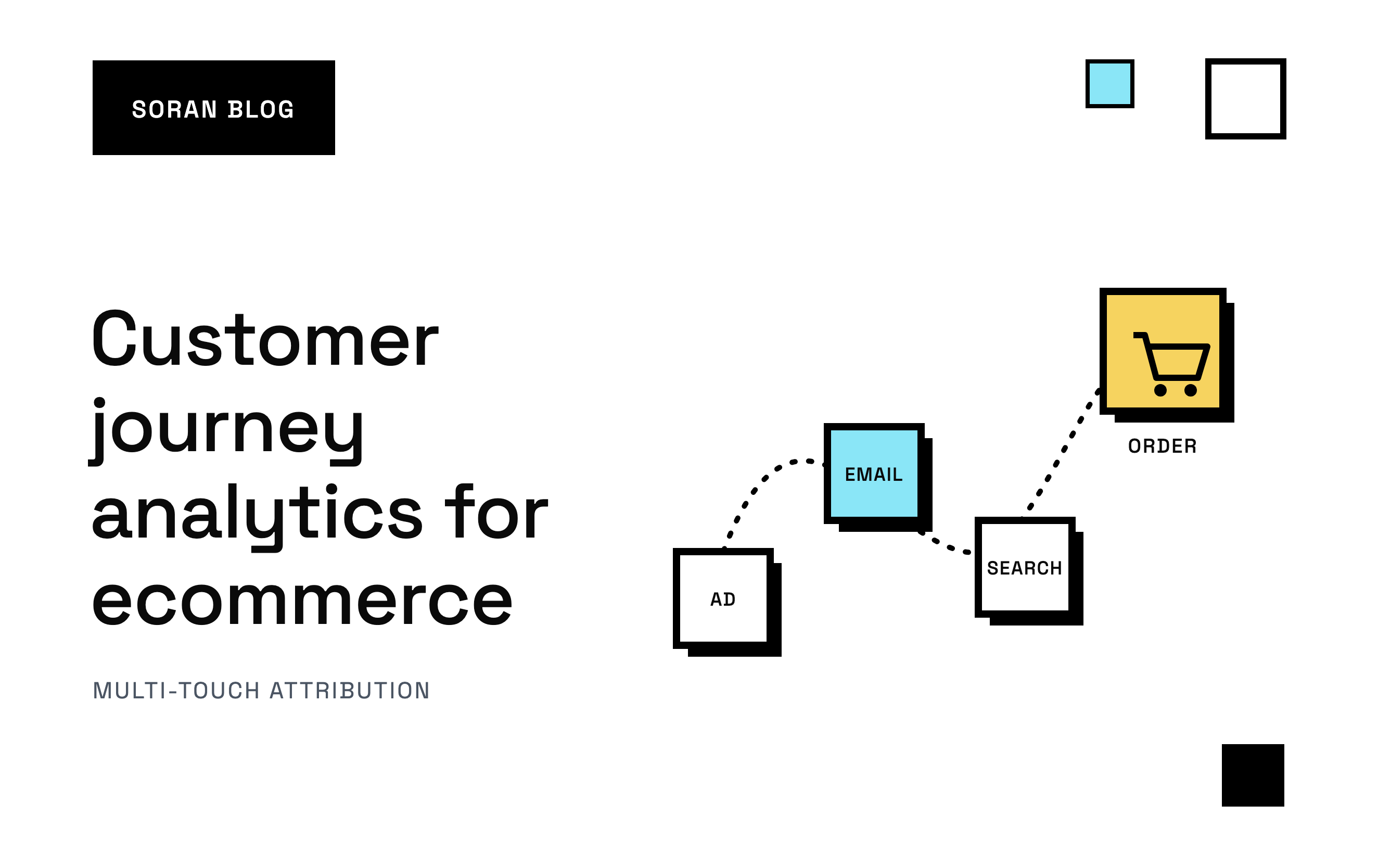
An order comes in. Shopify tells you what was bought and for how much. It might even tell you where the customer's last visit came from. What it doesn't tell you is the story: the TikTok video they saw two weeks ago, the product page they read three times, the email that finally got them to check out.
Ask Meta, and it made the sale. Ask your email tool, and it made the sale. Look in Google Analytics, and the search or the email might get it. Nobody is looking at the whole path, so you end up crediting whatever touched the customer last and cutting whatever came before it, even if that earlier ad is what found them in the first place.
Customer journey analytics is how you get the story back. This guide explains what it is in plain terms, how customer journey tracking collects the data behind it, where that tracking usually breaks, how to read journeys once you have them, and the mistakes that make journey data misleading.
What customer journey analytics means
A customer journey is the series of steps someone takes from first hearing about you to buying, and hopefully buying again. Each step is a touchpoint: a moment where the person comes into contact with your brand. For an online store, customer journey touchpoints usually include ad clicks, search visits, email clicks, social posts, product page views, add-to-carts, checkouts and the purchase itself.
There are two halves to working with journeys:
- Customer journey tracking is recording those touchpoints and joining them into one path per person, lined up with the order at the end.
- Customer journey analytics is studying those paths to answer questions like:
- Which channels start journeys, and which ones finish them?
- How many visits does a typical buyer need before purchasing?
- How long does it take from first visit to first order?
- Which landing pages lead to sales, not just visits?
- Do people who come in through one channel come back and buy again?
Here's what one tracked journey might look like:
| When | Device | What happened |
|---|---|---|
| Day 1, 9pm | Phone | Clicked a TikTok ad, viewed two products, left |
| Day 4, 1pm | Phone | Clicked a Meta retargeting ad, added to cart, left |
| Day 6, 8am | Laptop | Searched your brand on Google, browsed, signed up for email |
| Day 9, 7pm | Laptop | Clicked your email, bought for $120 |
A retargeting ad is an ad shown to people who already visited your site, and searching your brand means typing your store's name into Google. Four visits, three channels, two devices, one order. A tool that only sees the last click says email made $120. A tool that sees the whole journey shows you TikTok found the customer, Meta brought them back, and email closed the deal.
How it differs from mapping, funnels and attribution
A few terms sound similar, so it helps to separate them:
- Journey mapping is a planning exercise. You sketch the stages you think customers go through, usually on a whiteboard. Tracking and analytics use real data to show what they actually did. Mapping tells you what you expect. Tracking tells you what happened.
- Funnel analysis looks at fixed steps on your site, like product page, cart, checkout. Journey analytics follows a person across many visits and channels, not just one session. A session is one visit to your site, and one customer can have many.
- Attribution decides how much credit each touchpoint gets for a sale. It's built on top of journey data. You can't split credit fairly if you can't see the journey.
Why ecommerce brands need it
To stop double counting. Every ad platform reports on the journeys it can see, and each one assumes it deserves the credit. TikTok, Meta and your email tool might each claim that $120 order above. Add up their reports and you get $360 for one sale. Each platform is telling the truth about its own touchpoint and ignoring everyone else's. Journey analytics starts from your actual orders and works backward: one order, one path, one total.
To decide where to spend. If the channels that start journeys never get credit, you'll cut them. A few weeks later the channels that close journeys dry up too, because nobody new is coming in.
To find where people drop off. If lots of journeys include an add-to-cart but no checkout, that's a different problem from journeys that never reach a product page.
To understand customers, not just sessions. Tying sessions to a person lets you see how long people take to buy and how often they come back.
How customer journey tracking works
Every journey tracking setup does the same three things, and a fourth if you want to talk about money.
1. Record each visit and where it came from
When someone lands on your store, the tracker notes the page they arrived on and where they came from. That "where" comes from a few places:
- UTM parameters, which are tags added to the end of a link, like
?utm_source=tiktok&utm_campaign=spring. You add these to your ad and email links so every visit carries a label. - Click IDs, which ad platforms add to links automatically when someone clicks an ad. A click ID is a unique code for that one click. Meta adds one called
fbclid, Google addsgclid, and TikTok addsttclid. - The referrer, the website the person came from (like google.com), used when a visit has neither of the above. If there's no referrer either, the visit gets labelled "direct."
If your ad links aren't tagged consistently, journeys fill up with "unknown" and "direct" visits that were really paid clicks.
2. Recognize the same person across visits
This is the hard part. The tracker needs to know that Day 1's visitor and Day 9's buyer are the same human.
Within one browser, that's done with a cookie: a small note a website leaves in the browser so it can recognize it next time. As long as the cookie survives, every visit from that browser links together.
Across devices, a cookie can't help, because the phone and the laptop have different cookies. To join them, you need something the person gives you on both devices. Usually that's when they log in, sign up with their email or place an order. At that moment, the tracker can say "this phone browser and this laptop browser belong to the same customer" and merge their history into one journey. That's how cross-device journeys get built.
3. Tie the journey to the order
The end of the journey is the purchase, and it has to be counted every time. If a purchase depends on the browser loading a thank-you page, ad blockers and closed tabs will drop some of them.
The most reliable way is to record the purchase on the server. A server is a computer that runs your store's systems behind the scenes, where browsers can't interfere. Shopify can notify your server the moment an order is created (this is called a webhook), even if the shopper closes the tab before the thank-you page loads. The tracker then matches that order to the visitor who placed it, and the full journey is complete. Our guide to server-side tracking for Shopify explains how that works.
4. Add costs, if you want to talk about money
Journeys tell you what happened. To decide where to spend, you also need ad spend per campaign and ad, and ideally your product and fulfillment costs, so you can see profit by path and not just revenue.
Where customer journey tracking breaks
Most journey data has holes. Knowing where they come from helps you fix the ones you can and accept the ones you can't.
Ad blockers and browser privacy
Ad blockers can stop browser tracking scripts from loading at all. Safari and some other browsers limit how long certain cookies last, so a visitor who comes back after a week or two may look brand new. When that happens, their journey is split in two and the first half loses its connection to the sale.
Recording purchases server-side won't recover every visit, but it means you stop losing sales.
Untagged or messily tagged links
If your ad links don't carry UTM parameters, visits from them may show up as "direct" or as the wrong source, which makes your paid channels look weaker than they are. And if one campaign is tagged "facebook", another "Facebook" and a third "fb", your reports split one channel into three. Pick a naming scheme, write it down and use it everywhere.
People who never identify themselves on one device
If someone browses on their phone and buys on their laptop without ever logging in or entering an email on the phone, there's no honest way to know those two devices are the same person. Their phone visits stay anonymous, and one customer's journey breaks into several short, misleading ones. Be suspicious of any tool that claims to join every device with certainty.
Channels you can't see
Some touchpoints never generate a trackable visit. Someone sees your ad, doesn't click, and types your URL two days later. A friend mentions you over dinner. A podcast host says your name. Journey tracking shows these as direct or branded search visits, so "direct" often means "some earlier touchpoint we couldn't see did its job."
Journeys that started before you installed tracking
Tracking only records journeys from the day it's installed. You can import your past orders, but there's no way to rebuild the visits that came before them. Expect your journey data to get more complete over the first few weeks.
Shoppers who decline tracking
People who say no to tracking should stay untracked. Some gaps in journeys are expected and correct.
How to read customer journeys
Once journeys are flowing, here's what to look at.
Starters, middles and closers
Some channels mostly appear at the start of journeys: broad social ads, influencer posts, content. Some mostly appear at the end: branded search, email and retargeting. Some sit in the middle, keeping people interested.
Closing channels look great in last-click reports because they're the final touch. Starting channels look weak, because the sale happens days later through something else. Seeing both roles side by side stops you cutting the channel that was bringing new people in.
Journey length and time to purchase
Count the touchpoints and days between first visit and purchase. A cheap impulse buy might take one visit. A considered purchase might take weeks. If most buyers need several visits over a couple of weeks, judging an ad by sales on the day of the click will make it look worse than it is.
It also tells you how long an attribution window should be: the period after a click during which a sale can still be credited to it. A window shorter than your typical journey quietly drops the touchpoints that started it.
Entry pages
Which landing pages start journeys that end in orders? A blog post might bring little direct revenue but start a lot of journeys that convert later. A product page might get lots of paid traffic and convert almost none of it.
First purchase vs repeat purchase
A journey doesn't end at the first order. Separating first purchases from repeat revenue shows which channels bring in customers who come back, which is a very different thing from channels that bring in one-time bargain hunters.
A worked example: from journeys to credit
Once you have journeys, you need a rule for how much each touchpoint contributed. That rule is an attribution model. Let's take made-up journeys for three orders, each worth $90.
| Order | Journey |
|---|---|
| A | Meta ad, then branded Google search, then email, then purchase |
| B | TikTok ad, then Meta ad, then purchase |
| C | Email, then purchase |
Under last touch (all credit to the final touchpoint), email gets $180 and Meta gets $90. TikTok and search get nothing.
Under first touch (all credit to the first touchpoint), Meta gets $90, TikTok gets $90 and email gets $90.
Under linear (credit split evenly across every touchpoint), order A splits $30 each to Meta, search and email. Order B splits $45 each to TikTok and Meta. Order C gives $90 to email. That's Meta $75, TikTok $45, search $30, email $120.
Under U-shaped (40% to the first touch, 40% to the last, and the remaining 20% shared across the middle), order A gives $36 to Meta, $18 to search and $36 to email. Order B has no middle, so its two touches split $45 each. Order C gives $90 to email. That's Meta $81, TikTok $45, search $18, email $126.
Every model adds up to the same $270, because each order's credit is split once rather than claimed in full by each platform. What changes is the story. Email looks like the hero under last touch. Under first touch, email and the paid social channels look equally important. Linear and U-shaped show email still doing real work, with Meta and TikTok playing a bigger part than last touch suggested.
Notice what this also shows: if you'd judged TikTok by last click alone, you'd have cut it, even though it started one of three sales. A channel that looks strong under every model is a safer bet than one that only shines under one. To go deeper, see what is multi-touch attribution , the U-shaped model and the pros and cons of last-click attribution .
Getting started: a checklist
- Install tracking across your whole store, including product pages, cart, checkout and the thank-you page, not just the homepage.
- Record purchases from the server so ad blockers and closed tabs don't lose orders.
- Tag every link you control with UTM parameters, using one consistent naming scheme, and keep platform click IDs intact on ad links.
- Give people reasons to identify themselves, like email sign-ups, logins and checkout, so visits from different devices can be joined.
- Check that orders match. Compare the orders your tracker recorded against Shopify for the same days. A big gap means something is broken.
- Watch the "direct" bucket. If it's suddenly large, links are probably losing their tags somewhere.
- Start from orders and work backward, rather than adding up what each platform claims.
- Look at journeys under more than one attribution model before moving budget.
- Check journey length and make sure your attribution window is long enough to cover it.
- Split first purchases from repeat purchases when judging channels.
- Bring in ad spend and costs so you can compare channels on profit, not just revenue.
- Give it a few weeks. Journeys need time to build up after you install tracking.
Common mistakes
- Expecting journeys for the past. Journey data starts when tracking starts. You can import old orders, but not the visits behind them.
- Relying on the browser for purchases. Every order lost to an ad blocker or a closed tab is a journey with no ending.
- Messy tags. Untagged or inconsistently tagged links push paid clicks into "direct" and split channels into several rows.
- Treating every device as a new person. Without a way to link devices, one customer looks like several, each with a short, misleading journey.
- Trusting one model blindly. Every model is a set of rules about who deserves credit. Comparing a few is how you spot which channels are consistently strong.
- Confusing presence with cause. A touchpoint in a journey was there. It didn't necessarily cause the sale. Journey analytics shows the path, not what would have happened without each step.
How Soran handles it

Landing pages in Soran, on a demo store. Each entry page gets the revenue of the journeys it started.
Soran is built around the full journey behind each order.
- Server-side tracking. Purchases are recorded server-side, so ad blockers, tracking prevention and closed tabs don't lose them. Soran creates the site tracker for you, and setup shows how many events arrived in the last 24 hours, so you can see it's working.
- One person, one journey. Orders, visits and touchpoints from different devices are joined into one customer profile, and repeat revenue is shown apart from first purchases.
- Credit split once. Each order's credit is split across the visits that led to it, so totals add up to what the store took. You can switch between ten attribution models and every number updates.
- Down to the ad. Channel, campaign, ad set and ad views load together, and spend from Meta and TikTok is matched to the exact ad behind each order through tracking parameters added to ad URLs.
- Landing pages and raw events. Landing page analytics gives each entry page the revenue of the journeys it started, and the event log shows every raw event as it arrived, so you can check whether something was ever tracked.
One honest limit: like any tracker, Soran only sees journeys from the day it's installed. Your Shopify order history imports, but the visits behind those older orders don't exist to import.
Frequently asked questions
What is customer journey analytics in simple terms?
It's joining every interaction a customer has with your brand, like ad clicks, visits and emails, into one timeline per person, then studying those timelines to see which channels and pages lead to sales.
What's the difference between customer journey tracking and customer journey analytics?
Tracking is collecting the data: recording each visit, recognizing the same person across visits and devices, and tying the path to the order. Analytics is what you do with it: reading the paths, comparing channels and splitting credit.
How is customer journey analytics different from attribution?
Journey analytics shows the path. Attribution decides how much credit each step on that path gets. You need the journey first, then you apply an attribution model to it.
Can Google Analytics track the customer journey?
GA4 records visits, their sources and conversions, and shows some cross-channel data through its attribution reports. It relies on its browser tag, so ad blockers and privacy settings can hide some visits and purchases, it can only join devices when it can identify the user on each, and its attribution options are now limited to data-driven and last click. Many brands use a separate tool to see full order journeys and compare models.
How do you track a customer across devices?
The customer needs to identify themselves on each device, usually by logging in, signing up with an email or placing an order. That shared identifier lets the tracker merge the devices into one journey. Until then, visits on each device look like separate people.
How far back can I see customer journeys?
Only as far back as your tracking. Journey data begins the day visits start being recorded, even if your order history goes back years.
How long does a customer journey take?
It depends on your product and price. A cheap impulse buy might take one visit. A considered purchase might take weeks and many touchpoints. Once you're tracking, your own data will show you the typical time from first visit to first order.
Is customer journey tracking allowed under privacy laws?
It can be, as long as you follow the rules where your customers live. That typically means a clear privacy policy and respecting consent choices, such as a cookie banner where it's required. Check the specific requirements for the regions you sell to.
Want to see the full journey behind every order your store takes? Book a demo .